We know removing unwanted files or folders from the computer to avoid file duplication or to give room for more essential files below is the step-by-step process on how to empty Recycle bin on Mac OS.
To learn how to delete or Move Files or Folders to Recycle bin Click Here
It's just to look at "the Dock"
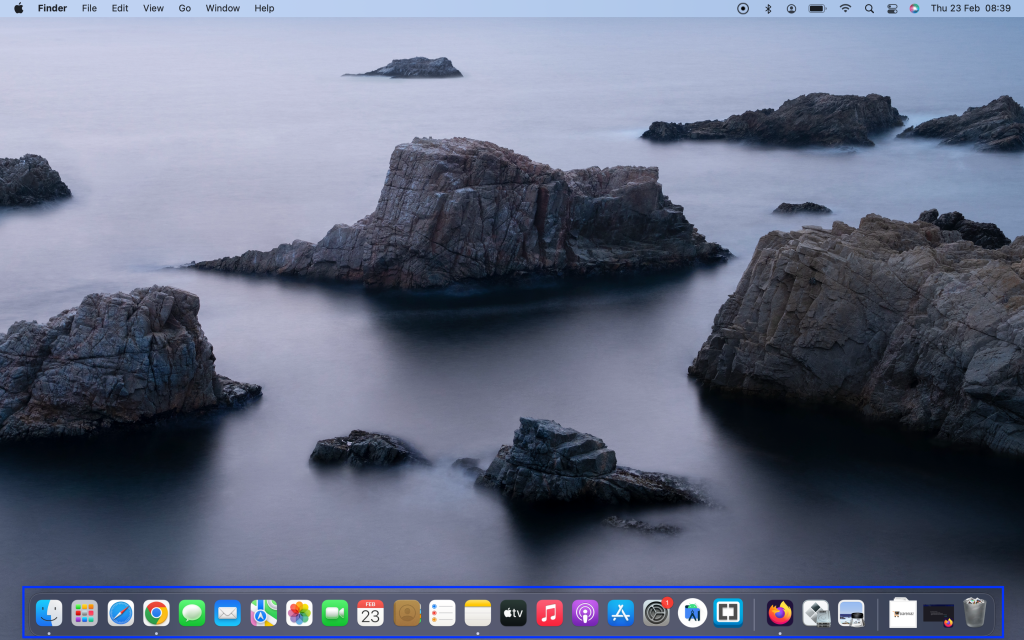
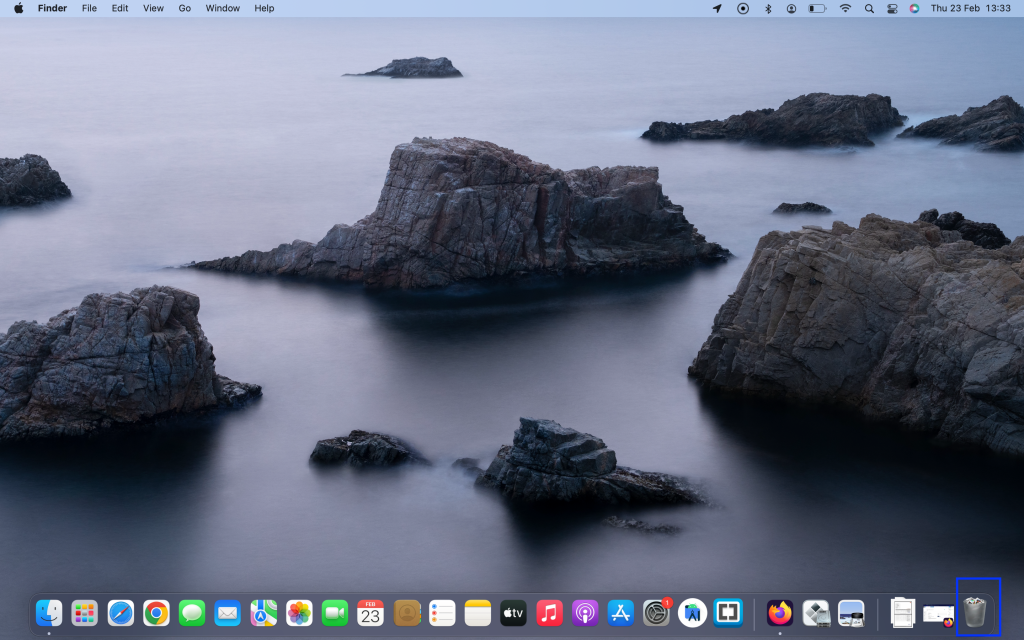
On the left of the Dock at the bottom of your screen, you click "Recycle Bin".
After opening the recycle bin next you click "Empty".
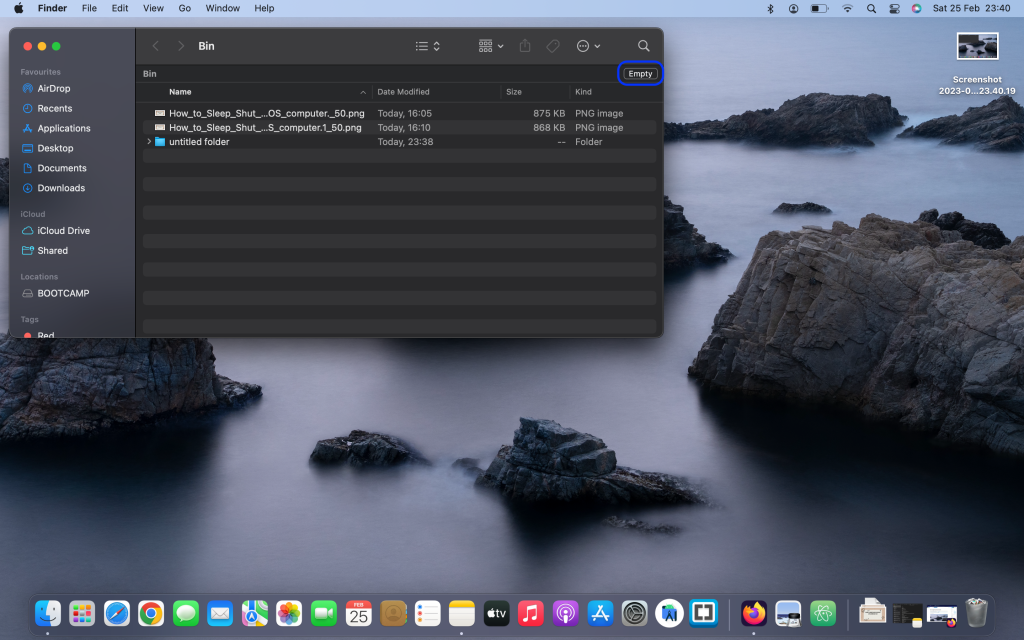
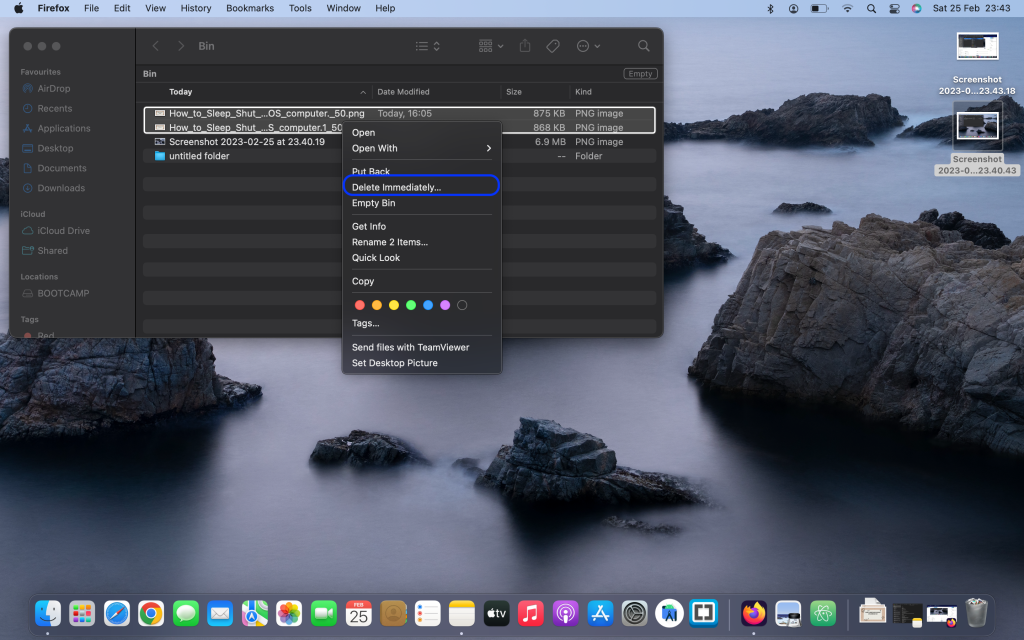
You can select files as well and Control-click and click "Delete Immediately...".
That's all for now, I wish you a lovely night ahead.